How We Built Brontie, your AI Assistant

Written by MolloKhan (Additional Contributors: Leannapelham, kbond, bocharsky-bw)
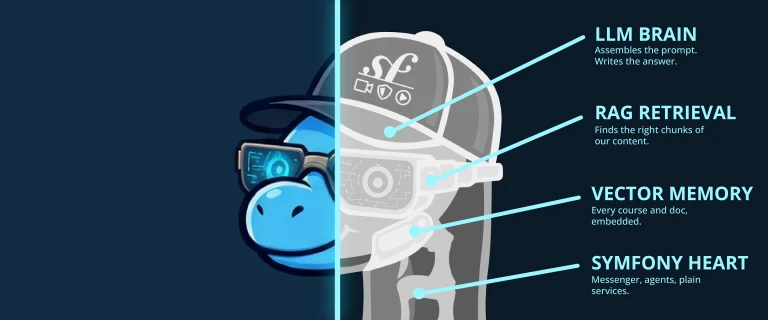
A few weeks ago, we
introduced Brontie, our AI assistant.
Mention @Brontie in a SymfonyCasts comment and our friendly Symfony trained
dinosaur will jump in with an answer.
In that post, we said Brontie has watched every SymfonyCasts tutorial.
That's true... in the same way that a dinosaur can watch hundreds of hours of video without blinking. When you ask a question, it searches our courses, blog posts, and the official documentation to find the most useful context. It sends that context, along with your question, to an LLM.
This is called Retrieval-Augmented Generation, or RAG.
Asking an LLM a question is the easy part. The interesting work is everything around it:
- Finding the right context
- Keeping the page fast while the answer is generated
- Preventing one bad search result from confusing the model
- Understanding why Brontie gave a bad answer
- Building the whole thing into our existing Symfony application
So, let's pop open the hood and see how our AI dinosaur works.
It Starts with a Comment
Brontie lives inside the SymfonyCasts comment system.
When someone mentions @Brontie, we first check a few things. Does this user
have access? Have they hit a rate limit? Has Brontie already replied too many
times in this thread?
Once those checks pass, we immediately add a placeholder comment:
Brontie is thinking...
But we don't generate the answer during that request.
LLMs can take several seconds to respond. Making the browser sit there until the model finishes would be slow, fragile, and not much fun for the person staring at a spinner.
Instead, we dispatch a Symfony Messenger message and return the response immediately.
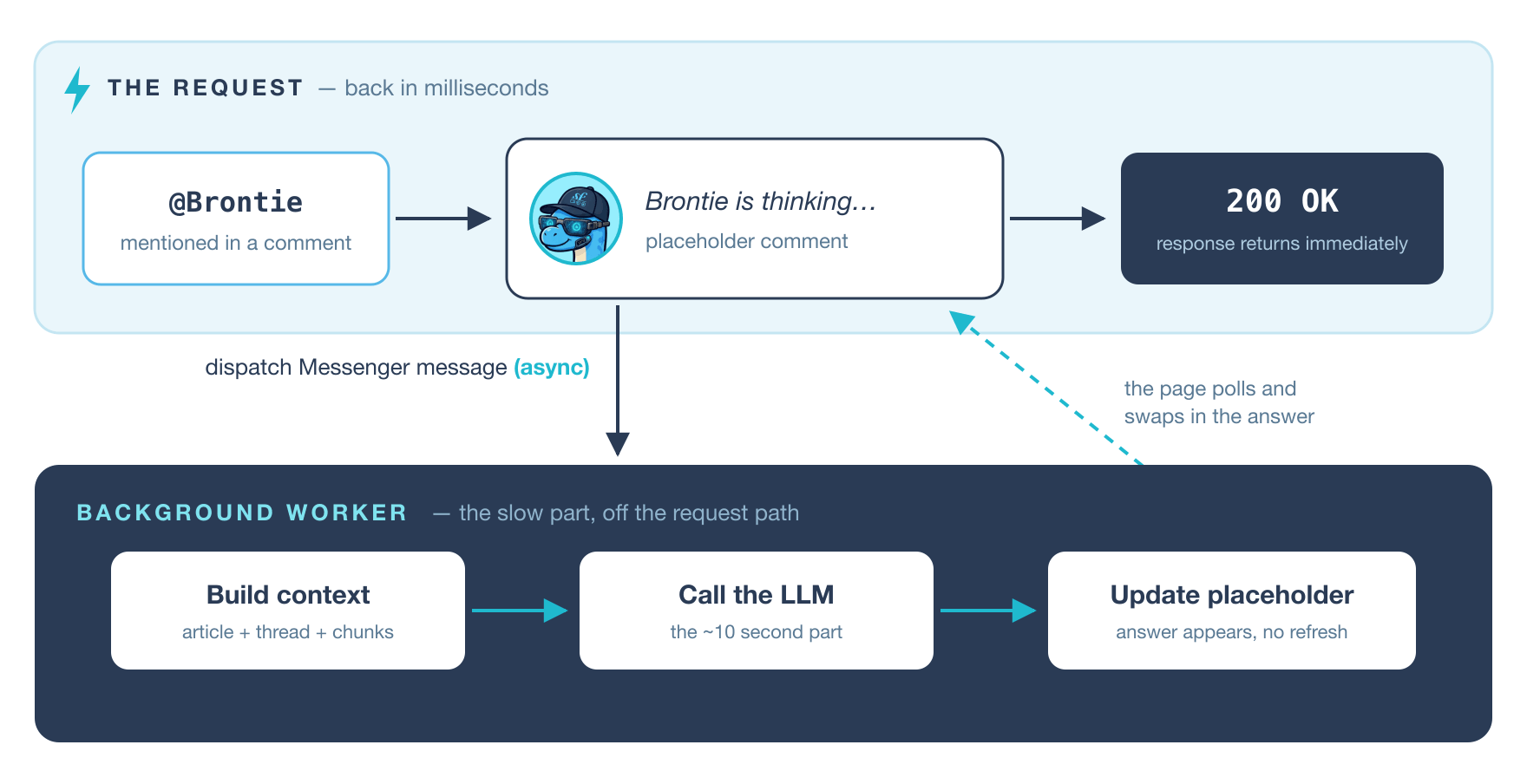
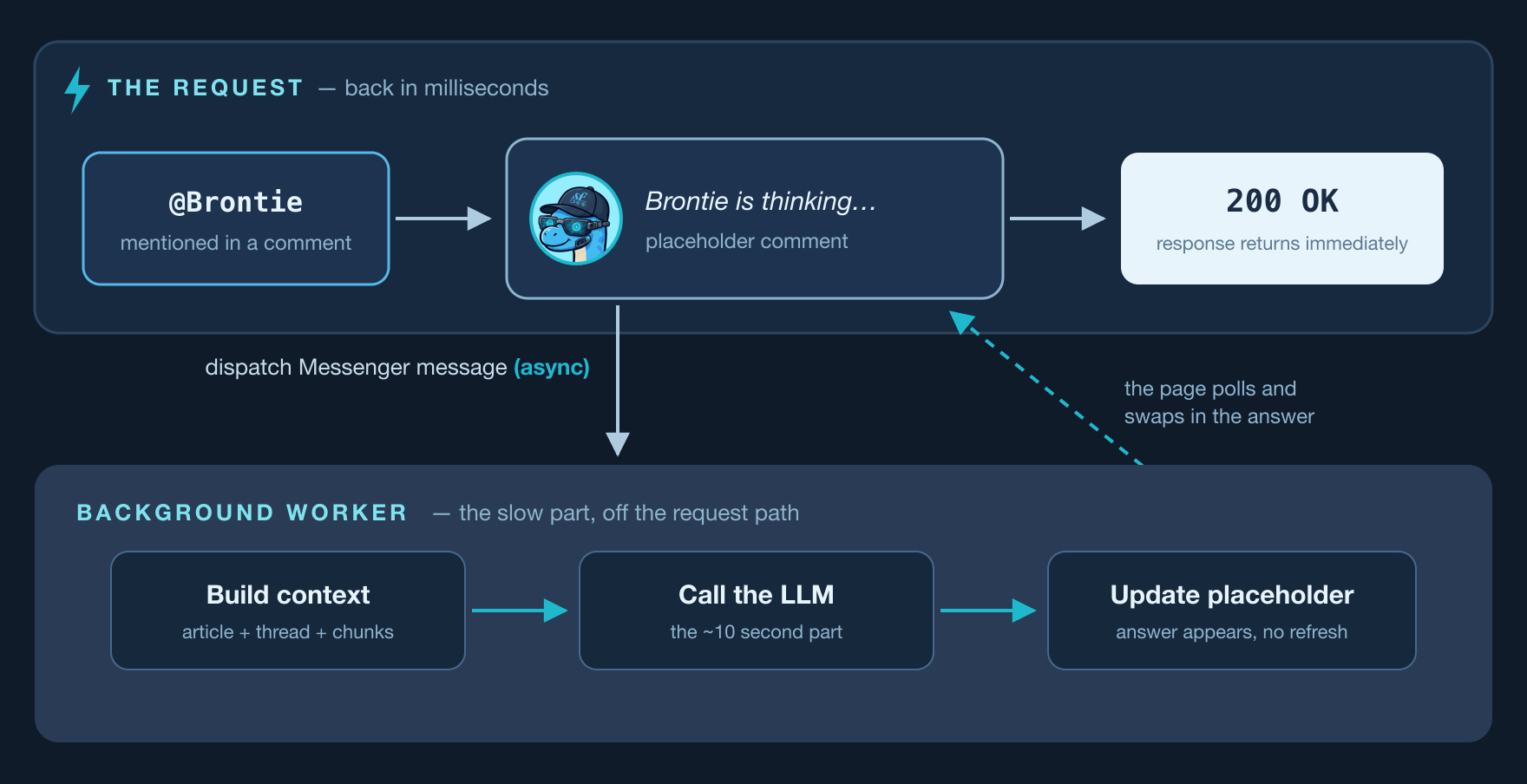
A background worker generates the answer and updates the placeholder comment when it is finished.
On the frontend, we use some simple polling to check whether the answer is ready. Nothing particularly fancy. It quietly checks in the background, then swaps in the finished answer. This creates a very reliable experience!
More importantly, the normal HTTP request stays fast. The slow AI work happens somewhere else.
The LLM Is the Easy Part
Brontie uses two external AI services:
- OpenAI generates embeddings and writes the final answer.
- Pinecone stores our content as vectors and searches it for relevant passages.
Everything else is regular Symfony code.
When we index a tutorial, blog post, or documentation page, its content is broken into smaller chunks. Each chunk is converted into an embedding: a list of numbers that roughly represents its meaning.
Pinecone stores those embeddings.
Later, when someone asks a question, we create an embedding for the question and search for content with a similar meaning.
For example, a question about "configuring Doctrine relationships" should end up close to our Doctrine relationship content, even if the question doesn't use the exact same words as the tutorial.
In theory, we could take the first few results, add them to the prompt, and ask the model to answer.
And we did try that.
The answers were... fine.
But "fine" isn't what we want from something answering questions while you're trying to learn. Sometimes the search found content that looked relevant but wasn't. Other times, several nearly identical chunks crowded out something more useful.
Most of our work went into making this retrieval step smarter.
Give the Question Some Context
Imagine someone comments:
Why isn't this saving?
On its own, that question tells us almost nothing.
But if it was asked below a Doctrine chapter, we know it probably relates to an
entity, the Unit of Work, or calling flush(). Below a Forms chapter, the same
question could be about submitting a form or mapping its data.
So, before searching, we enrich the question with information about the page it came from, including the course, chapter, and technology being discussed.
We also classify the general type of question:
DEBUGGINGfor errors, stack traces, and "this isn't working"CONFIGURATIONfor YAML, environment variables, and setupCONCEPTfor questions like "what is this?" or "what's the difference?"IMPLEMENTATIONfor questions about how to build something
This doesn't require another LLM call. It's normal application logic, which keeps it fast and predictable.
The classification helps us favour different kinds of content. A debugging question might benefit from troubleshooting details, while a concept question probably needs an explanation.
Search Broadly, Then Get Picky
Once we've enriched the question, we search Pinecone for the twelve most relevant chunks.
Twelve is more context than we want to send to the model. That's intentional.
The first search casts a fairly wide net. Then, our own re-ranking logic gets picky.
Each result goes through several checks:
- Content that matches the question type gets a small boost.
- Results below a minimum relevance score are removed.
- We limit how many results can come from the same file or topic.
- We keep a maximum of four chunks for the final prompt.
Some of the current values look like this:
private const float BOOST_MULTIPLIER = 1.15;
private const float SCORE_THRESHOLD = 0.80;
private const int MAX_CHUNKS = 4;
private const int MAX_PER_FILE = 3;
private const int MAX_PER_TOPIC = 2;
These numbers aren't magical. We're still adjusting them as we see which searches lead to good answers.
The most important rule might be the relevance threshold. When nothing is sufficiently relevant, we'd rather give the model less context than feed it something misleading.
More context isn't automatically better context.
The model is very good at taking a vaguely related passage and confidently using it to construct an answer. Our job is to avoid giving it that opportunity.
Our Tutorials Needed a Little Help
SymfonyCasts tutorial scripts are detailed. They're also written to accompany a video.
That makes them pleasant for humans to follow, but not necessarily ideal as LLM context. A transcript might spend hundreds of words navigating between files, typing code, fixing typos, and explaining what is visible on screen.
Handing all of that directly to the model uses a lot of tokens without always adding much useful information.
So, for each chapter, a background job creates a dense summary of around 400 words.
The summary focuses on:
- What the chapter teaches
- The important concepts
- The relevant classes, methods, and configuration
- Common problems or details that might help answer a question
Brontie can still search smaller chunks of the original content, but the chapter summary gives it a strong overview of what the lesson is actually about.
This has been one of the simplest and most useful improvements we've made: better context with fewer tokens.
Brontie also searches beyond our tutorials. Its index includes SymfonyCasts blog posts and documentation for the tools we teach, including Symfony, Doctrine, PHPUnit, Foundry, and more.
Symfony AI Holds Everything Together
We didn't write custom integrations for OpenAI and Pinecone. Instead, Brontie is built with Symfony AI.
We're using three main parts:
- Platform gives us one interface for generating responses and embeddings.
- Agent assembles the system prompt, page context, comment history, retrieved content, and user question.
- Store handles indexing and searching content through Pinecone.
This means the rest of our application doesn't need to care much about which model or vector database we're using.
They are services in the container, just like everything else.
If we change the model later, that's mostly a configuration change. If we switch vector stores, the retrieval code shouldn't need to be rebuilt from scratch.
And, because this is all inside our existing Symfony application, we can use the tools we already rely on: Messenger, the service container, the Rate Limiter component, security voters, Turbo, Stimulus, and our normal testing setup.
It turns out Symfony is pretty good at building AI applications. Another reason why we love it!
Teaching Brontie How to Answer
Retrieving useful content is only half of the job. We also need to tell the model what a good SymfonyCasts answer looks like.
Brontie's prompt asks it to behave like a senior developer pair-programming with a colleague. The goal is casual and helpful, but concise. We don't want a five-paragraph introduction before the useful part.
Some of its rules are:
- Skip filler like "Great question!"
- Give one clear recommendation instead of five possibilities
- Keep code examples small
- Avoid unnecessary boilerplate
- Don't repeat the question
- Stay focused on the technology and version being discussed
- Don't ask a follow-up question it can't wait around to have answered
We also arrange the prompt so its static parts come first. This allows OpenAI to cache the shared prefix, while the dynamic pieces - the retrieved content, comment history, and new question - come later.
That reduces the amount of repeated work and helps control costs.
Prompt Injection
Whenever an application mixes its own instructions with user-submitted text, prompt injection is something you need to think about.
For example, suppose user content is wrapped like this:
<question>
    The user's question
</question>
Someone could include </question> in their comment and try to make the text
after it look like part of our instructions.
To make this type of attack harder, each user-controlled section is wrapped in a randomly named delimiter generated on the server.
This isn't an invisible force field around the prompt. No delimiter trick makes prompt injection impossible. But it makes simple attempts to escape a known tag much less likely to work, and costs us almost nothing to add.
The more important protections still happen outside the model. Brontie cannot execute code, access arbitrary services, or perform actions on behalf of the user. It generates a comment, and that's it.
Access and Rate Limits
Each Brontie answer costs real money, so we have a few guardrails.
Brontie is currently available through our subscriber beta. We also have two types of rate limits:
- A short-term limit prevents someone from firing off many questions in rapid succession.
- A longer-term fair-use limit prevents one particularly curious developer from consuming the entire monthly budget.
We also limit the number of Brontie replies in one comment thread.
This prevents long, expensive conversations and protects us from the possibility of Brontie getting into an endless argument with someone who keeps asking:
Are you sure?
Though, to be fair, that's also a pretty normal conversation between two developers.
Debugging an AI Answer
One of our original requirements was that Brontie needed to be auditable.
When an ordinary feature behaves incorrectly, we can inspect the inputs, step through the code, and find the problem.
An AI answer can initially feel much more mysterious. It gave a bad answer... but why?
Was the question misunderstood? Did the search return the wrong content? Was a useful result removed during re-ranking? Did the correct information reach the model, but the model ignored it?
To answer those questions, we log the important parts of every Brontie request:
- The complete prompt
- The classified question type
- The technology filters
- Every retrieved chunk
- The score of each chunk
- Which chunks survived re-ranking
- The generated response
We also have an internal dashboard that shows usage, failures, costs, course activity, and answer ratings.
When Brontie gives a bad answer, we don't need to guess what happened. We can open the request and see exactly what it was given.
Most of the time, the problem isn't that the model wasn't clever enough. It's that we retrieved the wrong content or failed to include something important.
That has probably been our biggest lesson from building Brontie:
The quality of a RAG application depends more on retrieval than on the model.
Switching to a newer model might improve an answer a little. Improving the context can completely change it.
Closing the Feedback Loop
Every Brontie answer has thumbs-up and thumbs-down buttons.
A rating opens a small Turbo-powered modal where the reader can select a reason and optionally leave us a note.
That feedback is important because a technically valid answer isn't always a useful answer. Maybe it misunderstood the question. Maybe it gave a modern Symfony solution below an older course. Maybe it was correct but far too complicated.
The rating helps us find those cases. The logs help us understand them. Then we can adjust the retrieval rules, prompts, summaries, or source content.
And that's where we are now: closing that loop and gradually making Brontie more helpful.
Come Say Hello
Brontie is still in beta, but subscribers can request access from the Brontie page.
Once you're in, head to any course chapter or blog post, mention @Brontie, and
ask a real question.
Then please rate the answer – especially when it gets something wrong. That feedback is exactly what helps us improve it.
Building Brontie has reinforced something we already suspected: calling an LLM is the smallest part of building a useful AI feature.
The real work is finding the right information, fitting the feature into your application, adding guardrails, hiding the latency, testing everything around the model, and making failures understandable.
Fortunately, Symfony gives us a pretty great toolbox for all of that.
Happy asking! 🦕
Comments

"Houston: no signs of life"
Start the conversation!